Downloads
Download SHA256SUMS.txt Download sysmon-3ds.3dsx Download sysmon-3ds.cia Download sysmon-server-0.3.4-1_amd64.debVersion: v0.3.4
Last updated:
Prereleases
Download SHA256SUMS.txt Download sysmon-3ds.3dsx Download sysmon-3ds.cia Download sysmon-server-0.3.5-1_amd64.debVersion: v0.3.5-dev.1
Last updated:
Description
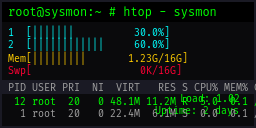
Note: This application requires sysmon-server running on a Linux PC.
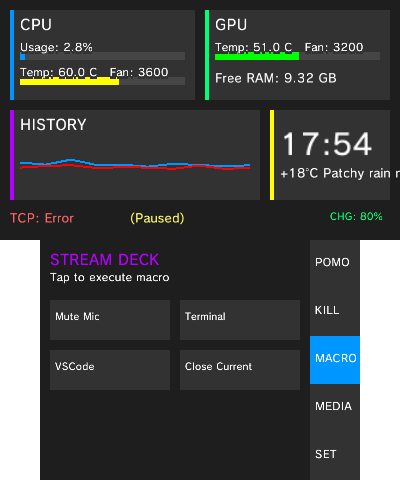
SysMon connects a Nintendo 3DS to a Linux PC over local Wi-Fi to display system telemetry and provide remote input controls.
Features
- Telemetry: Displays PC CPU usage, CPU/GPU temperatures, clock frequencies, fan speeds, free RAM, uptime, and weather.
- Gamepad Controller (CTRL): Low-latency UDP controller mapped to the Linux uinput virtual gamepad driver.
- Macro Deck (MACRO): Triggers custom commands, shell scripts, and keyboard shortcuts via touch buttons or 3DS buttons (A/B/X/Y).
- Audio Level Mixer (LEVEL): Adjusts volume and mute states for active audio applications via PulseAudio or PipeWire.
- Media Controls (MEDIA): Controls playback (play, pause, skip) and displays track metadata via MPRIS.
- Process Manager (KILL): Displays high-CPU processes and allows terminating unresponsive applications.
- Focus Timer (POMO): Built-in Pomodoro timer.
- Settings (SET): Supports multiple server profiles, theme switching, and audio feedback.
Setup
- Download and run
sysmon-serveron your Linux PC (cargo build --releaseor install the RPM package). - Open the SET tab in SysMon on your 3DS and enter your PC IP address and port (default: 7341).
- For gamepad functionality, ensure your Linux user account has write access to
/dev/uinput.
Source code and server downloads are available at the GitHub Repository.